SAS (Serial Attached SCSI) is a serial point-to-point communication standard for connecting storage devices in server and enterprise storage systems. SAS supports, among other features, full-duplex data transmission, SAS expanders, and, with corresponding enterprise drives, redundant data paths through dual-port connections.
When evaluating enterprise storage for database servers, virtualization hosts, or RAID arrays, data sheets therefore frequently list “SAS” as the interface protocol. Understanding what SAS is, how its architecture differs from SATA, and when its characteristics are relevant enables infrastructure planners to align storage technology with actual requirements instead of unnecessarily oversizing systems or using storage technologies that are unsuitable for the respective workload.
What Is SAS (Serial Attached SCSI) and How Does It Work?
SAS replaced parallel SCSI by transitioning from a shared-bus topology to individual point-to-point serial connections. While parallel SCSI used a wide cable that transmitted multiple data signals simultaneously over limited distances, SAS transmits data serially through narrower cables at higher speeds with less signal interference. The protocol retains the SCSI command set for compatibility with existing storage software stacks while eliminating the cable length restrictions, termination complexity, and device addressing limits that constrained parallel implementations.
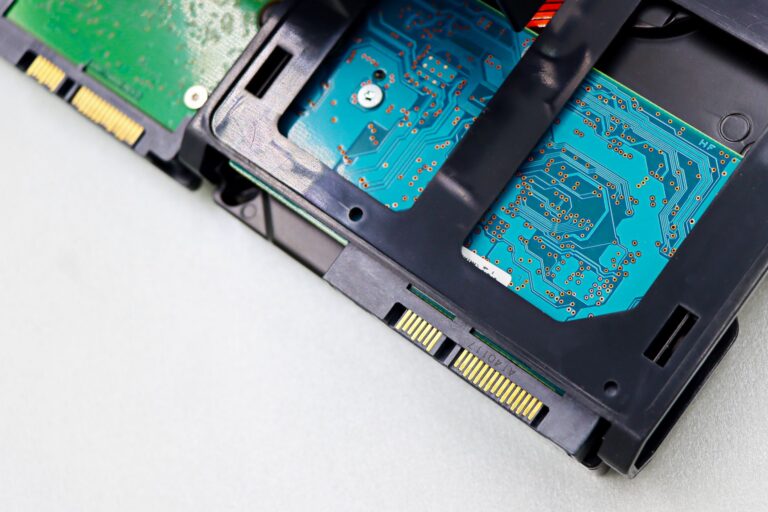
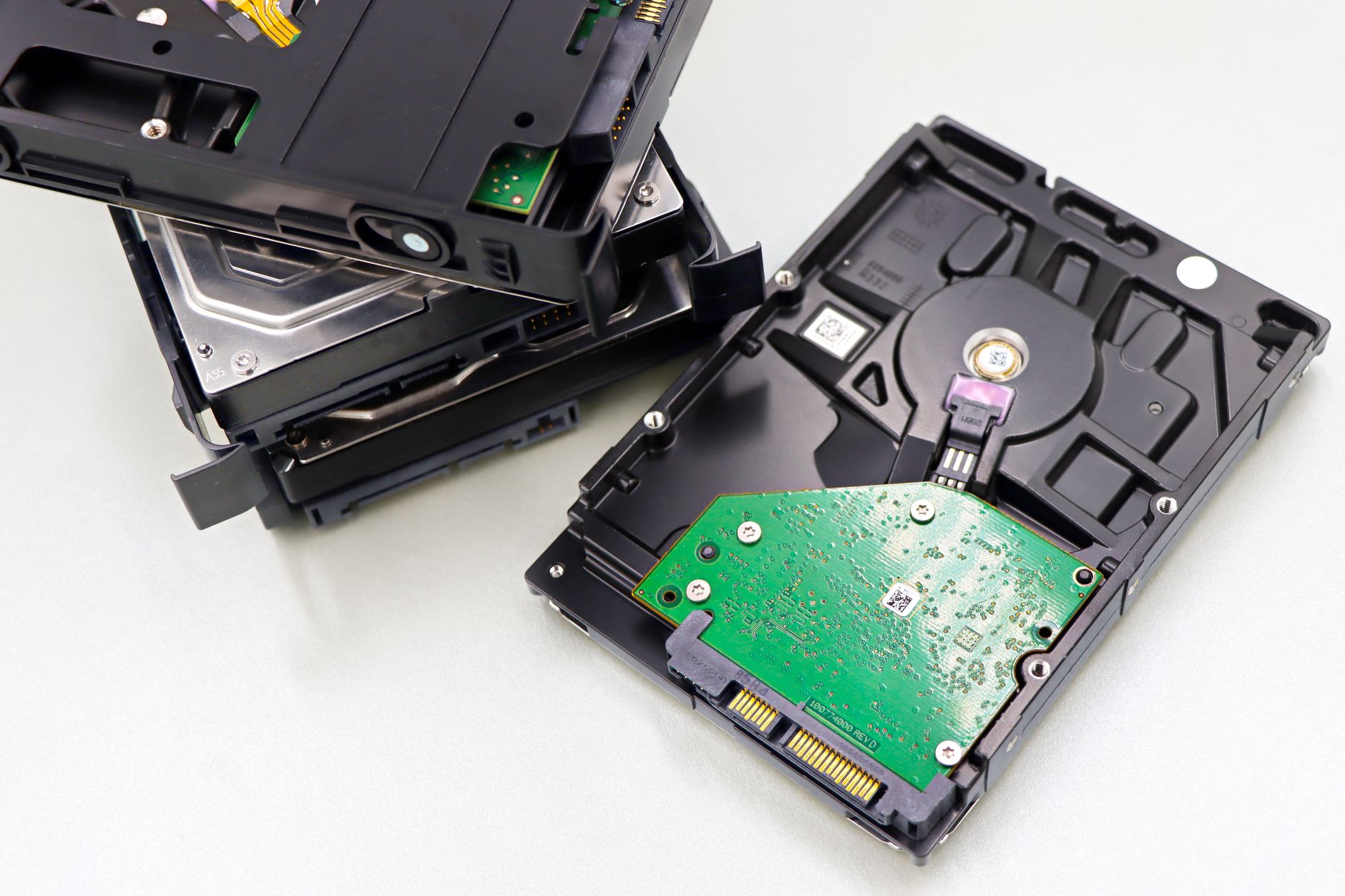
The physical connector standard supports both 3.5-inch and 2.5-inch form factors. SFF-8482 connectors handle individual drives; multi-lane connections to backplanes and expanders use miniSAS (SFF-8087) or miniSAS HD cabling (SFF-8643), depending on the platform generation and lane configuration. A SAS connector includes power and data contacts that mechanically also accept SATA drives, enabling mixed deployments in which SATA capacity drives coexist with SAS performance drives in the same chassis — however, this does not work in the opposite direction. A SAS host adapter can control SATA devices; a SATA controller cannot address SAS drives.
How Is SAS Structured? Expanders, Dual Ports, and Full Duplex
The SAS topology is based on expanders that function as intelligent switches. A SAS expander can connect many devices — the actual device and topology limits depend on the expander implementation; multiple expanders can be cascaded to scale further. Each SAS drive carries a unique Worldwide Name (WWN) that remains constant across reboots and cable changes, enabling persistent device identification in large arrays.
Enterprise SAS drives typically have two independent ports. Both ports connect to separate host bus adapters or RAID controllers, creating redundant data paths. If a controller or data path fails, I/O can continue over the second path if the storage architecture is designed and configured with appropriate redundancy. This dual-port capability is absent from SATA drives, which have a single connection point and no hardware-based path redundancy.
SAS provides full-duplex point-to-point communication and allows simultaneous bidirectional data transmission on each connection. For workloads that perform simultaneous read-modify-write transactions — database commits, virtualization host storage, RAID parity updates — full-duplex operation supports high levels of concurrency; actual storage latency also depends on the medium, controller, cache, firmware, and workload.
What Technical Features Does SAS Offer?
SAS supports significantly deeper command queues than SATA’s traditional 32-command Native Command Queuing (NCQ) limit; the supported queue depth depends on the device, controller, and implementation. Greater queue depth is relevant when multiple virtual machines or database sessions issue random I/O simultaneously. The drive can reorder incoming requests to minimize seek times and rotational latency, thereby improving overall throughput under concurrent load.
Enterprise SAS HDDs are mechanically designed for continuous operation. Rotational vibration sensors adjust head positioning in real time to compensate for vibrations from neighboring drives in dense arrays. Rotational vibration compensation is a characteristic of the drive family, not an interface feature: enterprise and NAS SATA drives can also have it, while desktop drives typically do not — and without it, sustained vibrations reduce seek accuracy and increase error rates. Mean Time Between Failures (MTBF) for enterprise SAS HDDs typically reaches 2 to 2.5 million hours — a product rating that reflects component selection and validation for 24/7 continuous operation, not an interface feature; enterprise SATA drives can have comparable ratings, while consumer drives generally have lower workload ratings and are not designed for the same continuous operating cycles.
SAS SSDs inherit the same protocol advantages: dual-port redundancy, greater queue depth, and full-duplex connections. Enterprise SAS SSDs are also characterized by endurance ratings expressed in Drive Writes Per Day (DWPD). A 1-DWPD SSD designed for five years can withstand writing its full capacity once per day over that period. Mixed-use SAS SSDs typically achieve 1 to 3 DWPD; write-intensive models exceed 10 DWPD. These ratings reflect NAND overprovisioning, wear-leveling algorithms, and power-loss protection circuitry — enterprise features that consumer SSDs typically lack regardless of the interface.
SAS vs. SATA: What Is the Difference?
The decision between SAS and SATA is based on workload characteristics and fault tolerance rather than abstract performance metrics. SATA handles sequential workloads well: media streaming, backup targets, and archive storage, where large files are written or read sequentially and drive failures can be tolerated until the next maintenance window. SAS is particularly suitable for workloads with random I/O patterns, multi-initiator and multipath storage architectures, and environments in which a drive failure must not interrupt the service.
Database transaction logs, virtualization datastores with dozens of VMs, and RAID arrays for business-critical applications generate access patterns that place demands on SATA’s architectural limits. Full-duplex communication, deep command queues, and dual-port failover directly address these scenarios. A SAS host bus adapter or RAID controller can manage both SAS and SATA drives on the same backplane, allowing capacity-oriented SATA drives to be used for bulk storage while SAS drives are dedicated to performance-sensitive tiers — however, compatibility only works in one direction.
Infrastructure planners evaluating mixed topologies should verify that the RAID controller firmware supports the intended combination and that sufficient SAS ports remain available after accounting for dual-path cabling. Not all controllers expose both ports of a dual-port SAS drive; single-path configurations forfeit the redundancy advantage even when dual-port hardware is used. Our article SAS vs. SATA: Differences in Server Storage provides a detailed comparison of the interfaces, performance characteristics, and use cases.
When Is SAS Used?
SAS drives are used in environments where the cost of downtime exceeds the price premium of the drives. Database servers hosting ERP, CRM, or financial transaction systems cannot tolerate I/O interruptions during a cable failure or controller restart; dual-port SAS drives connected through redundant controllers maintain availability. Virtualization clusters with production workloads benefit from command queue depth and rotational vibration tolerance when dozens of virtual machines issue random I/O to shared datastores.
Storage servers in RAID 6 or RAID 10 configurations frequently use enterprise SAS drives to reduce the probability of a second drive failure during array reconstruction. Rebuilding a multi-terabyte RAID array places all surviving drives under sustained sequential read load; the enterprise workload validation and high MTBF ratings of these drives reduce the risk of encountering unrecoverable read errors or additional failures before the array has been restored.
Conversely, applications that do not require these capabilities gain no functional advantage from SAS. A file server that delivers large media files sequentially to a small number of clients, a backup repository that appends data sequentially, or a development environment where downtime has no financial consequences can use SATA drives without compromising suitability. Matching the drive class to the workload avoids both underspecification (SATA in a business-critical database) and wasteful overspecification (SAS in a cold archive).
SAS HDD vs. SAS SSD: Which Drive Type Is Suitable for Which Workload?
Within the SAS ecosystem, the choice between HDDs and SSDs follows a different logic than the SAS-versus-SATA decision. Enterprise SAS HDD configurations provide maximum capacity per drive at the lowest cost per terabyte. Current enterprise SAS HDDs, for example Seagete Exos, reach 18 to 24 TB in 3.5-inch form factors and are suitable for warm storage, data warehouses, and archive tiers where capacity dominates costs. Rotational latency limits IOPS to hundreds per drive; random-read performance depends on seek times.
Enterprise SAS SSDs deliver orders of magnitude higher IOPS — tens of thousands to hundreds of thousands per drive — with sub-millisecond latency. They are suitable for transactional databases, Online Analytical Processing (OLAP), virtualization boot volumes, and any workload where random I/O performance determines application responsiveness. Cost per gigabyte remains higher; enterprise SAS SSDs are chosen when IOPS and latency requirements cannot be met by adding more HDDs.
Endurance becomes a selection criterion within the SSD category. Read-intensive SAS SSDs, optimized for data warehousing or content delivery, can have 0.5-DWPD ratings while offering higher capacity at lower cost. Mixed-use drives balance read and write endurance for virtualization or general-purpose database workloads. Write-intensive SAS SSDs tolerate logging, caching, and high-churn transactional workloads but come with capacity and cost penalties. Vendors such as Samsung validate enterprise SAS SSD product lines across these endurance classes; choosing the wrong class results either in premature wear or paying for unused write endurance.
Which Controllers and Backplanes Does SAS Require?
SAS infrastructure requires a SAS host bus adapter (HBA) or SAS RAID controller. These adapters handle the expander topology, dual-port failover, and full-duplex protocol that distinguish SAS from SATA. A system configured only with a SATA controller cannot use SAS drives; adding SAS capability requires a hardware change. Server platforms can support SAS through integrated storage controllers or dedicated PCIe HBAs or RAID controllers. Whether SAS drives can be used depends on the controller, backplane, and system configuration.
Migrating from SATA to SAS within an existing system depends on available controller support and backplane cabling. Some backplanes expose only SATA signaling even if they are physically compatible with SAS connectors; verifying the backplane specification prevents discovering incompatibility after procurement. Cable lengths and connector types must match the selected drives and controller; SFF-8087-to-SFF-8482 breakout cables support individual drive connections, while 12 Gb/s configurations require SFF-8643 cabling for full bandwidth.
Firmware compatibility is relevant when mixing drive generations or manufacturers. RAID controllers maintain qualified drive lists; using drives outside these lists can result in performance throttling, feature deactivation, or support complications. Enterprise vendors publish firmware interoperability matrices; consulting them before finalizing drive selection avoids integration surprises.
When Does SAS Make More Sense Than SATA?
SAS technology carries a price premium over SATA because it provides capabilities that SATA architecturally cannot: dual-port redundancy, deeper command queues, and full-duplex data paths — typically combined in enterprise SAS product lines with high-quality MTBF-rated components and validation for continuous operation. Whether these capabilities justify the cost depends entirely on the business impact of the workload they support.
If a storage failure can lead to transaction losses or service interruptions with measurable business impact, SAS features such as dual-port connectivity and redundant data paths can contribute to higher availability when used in an appropriately designed storage architecture. If the workload can tolerate drive replacement during normal maintenance windows and does not have corresponding requirements for random I/O and path redundancy, SATA capacity drives can provide more storage per euro.
The decision framework comes down to these questions: Does the application require more than 32 simultaneous commands per drive? Does it issue simultaneous read and write operations that benefit from full-duplex connections? Must the storage remain available during a controller or cable failure? Is the workload dominated by random I/O? The more pronounced these requirements are, the more relevant the architectural advantages of SAS become. If these requirements are low, however, SATA can be the more economical choice. Specifying SAS where its additional features are not required unnecessarily increases costs; using SATA when features such as dual-port connectivity and redundant data paths are required, on the other hand, can fail to meet the requirements of the storage architecture.
In our Server Hardware shop, businesses can find storage devices for professional server and storage environments – from SAS HDDs and SAS SSDs to other enterprise drives for different capacity, performance, and workload requirements. The interface alone is not the deciding factor: drive type, capacity, endurance, controller, and backplane must match the respective server and storage architecture. Discover storage devices for professional server systems at server-hardware.com and select suitable drives for your storage requirements!

 Online Marketing Manager